

 +447464132630


The Only Podcast Equipment Guide You'll Need
Oct 03,2025 | Pinknoisesystems
Types of Podcasting
Before starting your podcast, you need to think about how you will record. Is it an in-person session where you interview multiple guests in a studio, or will you be connecting online and interviewing on a call? Different podcasting styles require different levels of equipment. Let's break it down!
Interview Podcasts - The host talks with guests, often experts or personalities, about their experiences, advice, or stories. Great for variety and fresh perspectives in each episode.
Solo Podcasts - A single host shares ideas, commentary, or storytelling. Easy to produce and perfect for building a personal connection with your audience.
Co-Hosted Podcasts - Two or more hosts discuss topics together. The dynamic between hosts often adds energy, humor, and debate.
Narrative / Storytelling Podcasts - Focused on telling a story over one or multiple episodes. Often highly produced, with music, sound effects, and interviews woven in. Examples: true crime, investigative, or fiction.
Roundtable / Panel Podcasts - A group of people discuss a topic, usually with multiple perspectives. Often more casual and conversational, like a radio talk show.
What Equipment Do You Really Need?
Now that you've considered different podcast styles, let's talk about the essentials you'll need to bring your podcast to life. It’s all really depending on your budget and the scale of podcasting you aim to produce. For each equipment type, we list our recommendations. Please keep in mind that all of these may not be compatible with each other, and if you need any assistance building your podcasting set-up, drop us a message or call us!
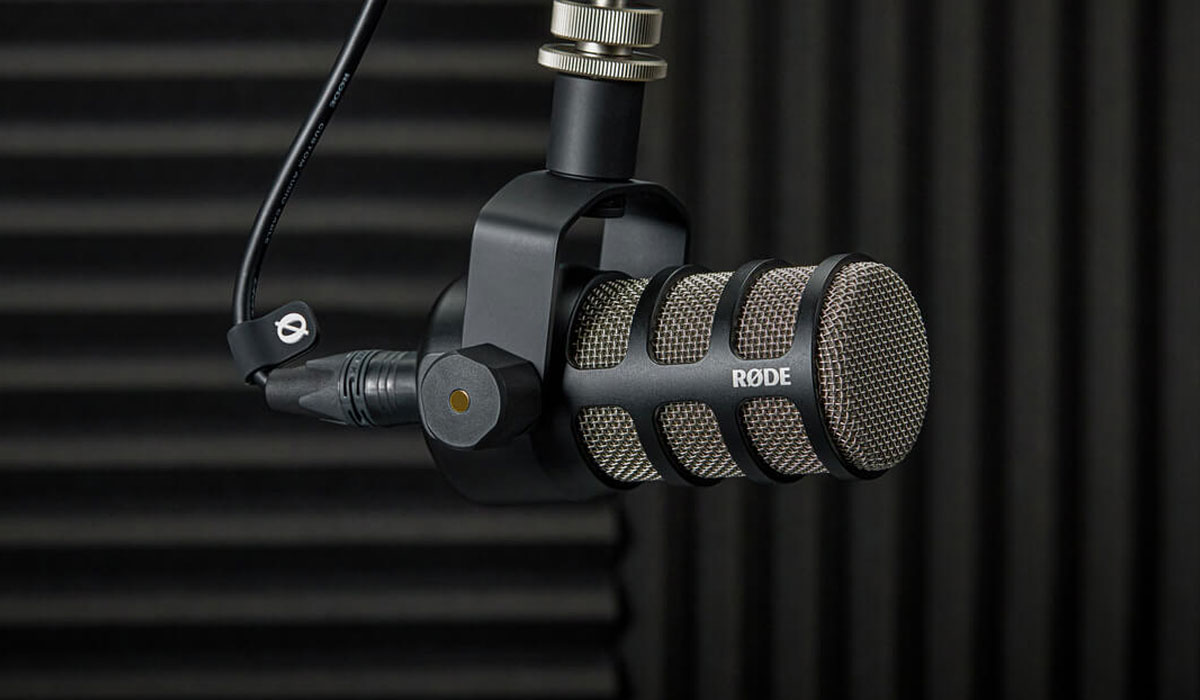
Rode PodMic
Choosing the Right Microphone
If you’re new to podcasting and want something easy, try a USB microphone. Choose one with a good preamp, a cardioid pattern to pick up your voice, and a pop filter for a clearer sound. If your room is noisy, a dynamic mic is usually better because it effectively blocks out background noise, allowing your voice to remain clear.
If you plan to grow your podcast or add more hosts, consider an XLR microphone with an audio interface. This setup allows you to use different microphones, add more inputs, and have better control over your sound.
Our Suggestions;
XLR: Shure SM7B, Rode PodMic, Audio-Technica BP40
USB: Rode NT-USB USB Studio mic, Rode Podcaster USB Broadcast Microphone
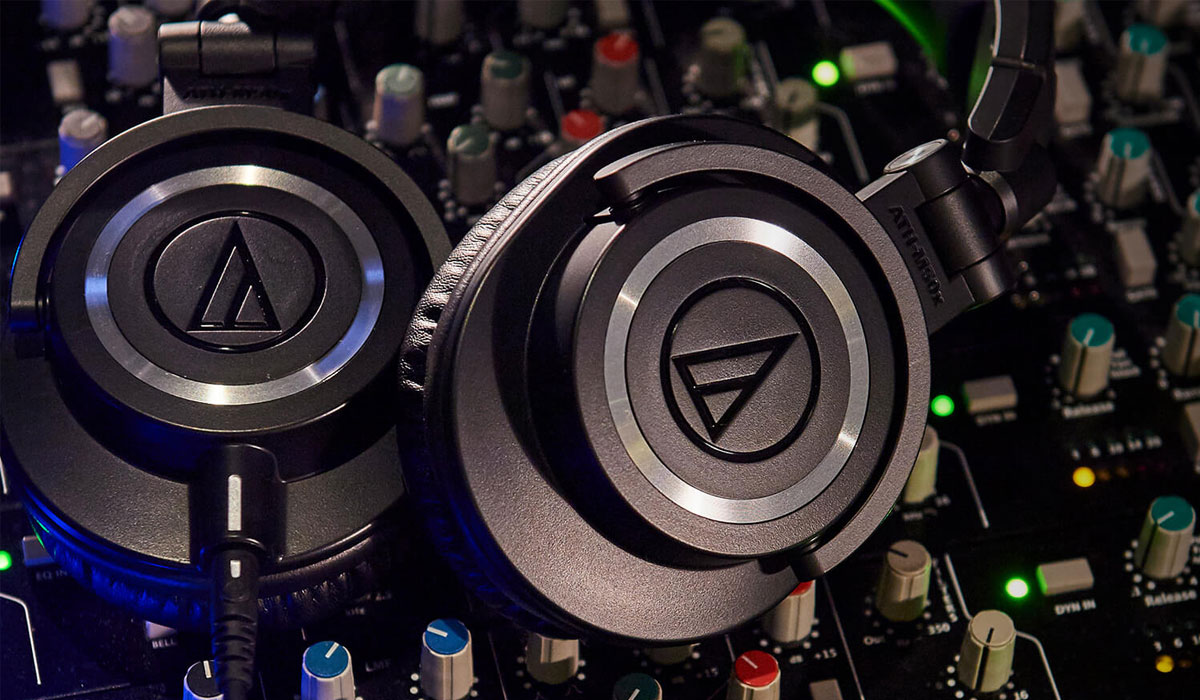
Audio-Technica ATH-M50x
Headphones
When it comes to podcasting, a good pair of headphones is just as important as a microphone. Closed-back headphones are the go-to choice because they prevent sound from leaking into your mic while giving you an accurate picture of your audio. They let you hear exactly how you and your guests sound in real time, so you can catch issues like background noise, distortion, or uneven levels before they ruin a recording. Beyond recording, quality headphones are essential in editing, helping you fine-tune your mix and ensure your podcast sounds polished on any device. Investing in the right pair means you’ll save time, avoid mistakes, and deliver a more professional listening experience to your audience.
Our Suggestions: Audio-Technica ATH-M50x, Sennheiser HD 280 Pro Over-Ear Monitoring Headphones
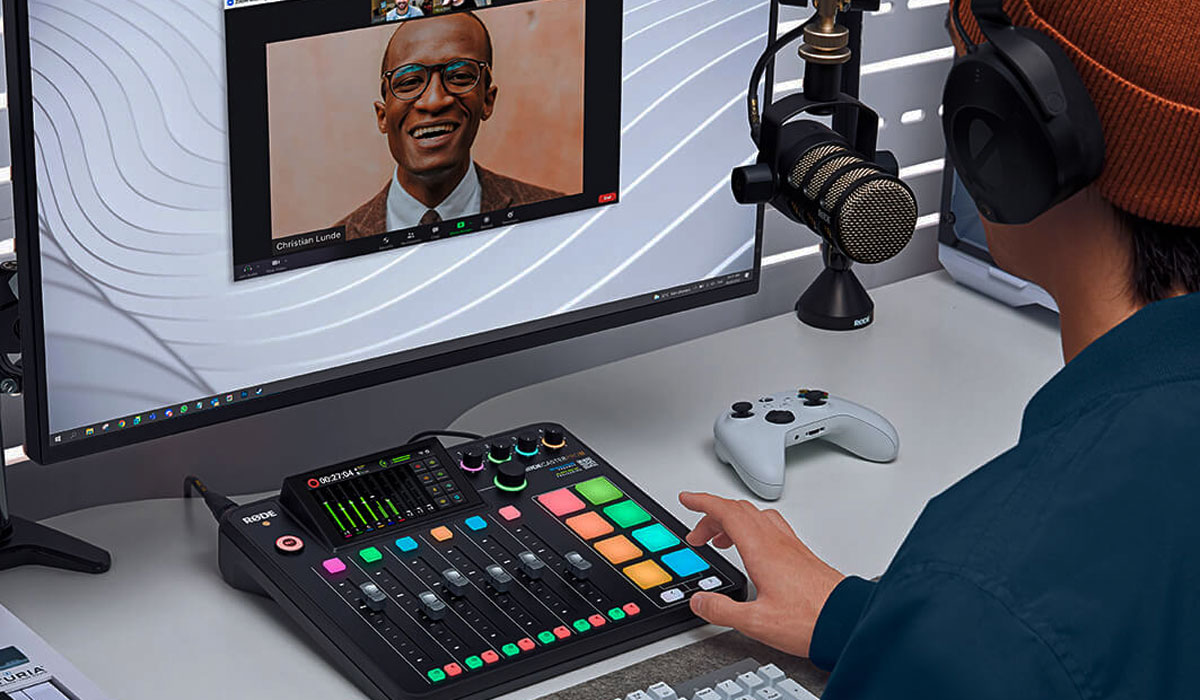
Rode Rodecaster Pro
Audio Interface / Recorder
When you’re starting a podcast, you might wonder if you really need a recorder. The truth is, a recorder isn’t essential for everyone, but it can make a big difference depending on your setup. The biggest benefit is reliability: laptops and software can crash, but a recorder gives you a rock-solid backup. They’re also super portable, which is perfect if you plan to record interviews on the go or outside the studio.
Many recorders let you plug in multiple mics, record each person on their own track, and even act as an audio interface when you’re back at your desk. Some models even support 32-bit float, so you don’t have to worry about clipping or distorted audio. On the flip side, if you’re always recording solo at your desk with a USB mic, you probably don’t need one right away. But if you want flexibility, cleaner sound, and peace of mind, a recorder is one of the smartest investments you can make for podcasting.
Our Suggestions: RODECaster Pro II Integrated Audio Production Studio, Tascam Portacapture X8 32-Bit Multi-Track Recorder, Zoom PodTrack P8 Podcast Recording Desk
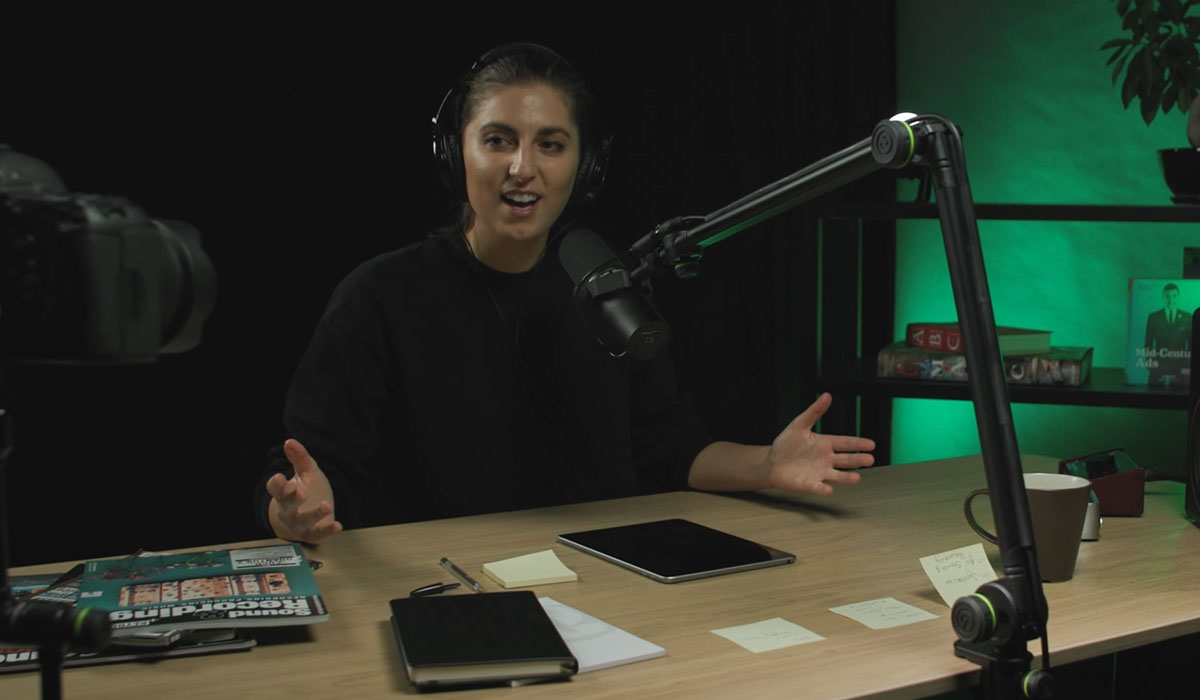
Gravity SM TBA 01 Microphone Arm
Boom Arm or Mic Stand
A boom arm or mic stand might not be the first thing you think about when setting up your podcast, but it makes a huge difference in both comfort and sound quality. Instead of holding your mic or letting it sit awkwardly on a desk, a stand keeps it steady and at the right distance from your mouth, which helps maintain consistent audio.
A boom arm also reduces unwanted noises like desk bumps, typing, or vibrations, since the mic is suspended rather than resting directly on a surface. Plus, it gives you more freedom to adjust your position while recording, making longer sessions much more comfortable. In short, a boom arm or mic stand is a simple upgrade that keeps your setup tidy, your posture natural, and your recordings clean and professional.
Our Suggestions: Gravity SM TBA 01 Microphone Arm, Rode PSA1+ Professional Studio Microphone Boom Arm, Dinkum Systems FlexiMount Mic Holder
Extras to consider
Microphone Pop Filter
When it comes to achieving clear and professional audio in podcasting, incorporating a pop filter or windscreen into your setup is essential. A pop filter, typically made of mesh or nylon, is designed to reduce plosive sounds, those sharp bursts of air from "p" and "b" sounds, that can distort recordings. By diffusing these air blasts before they reach the microphone, pop filters help maintain vocal clarity and prevent unwanted noise.
Our Suggestions: Gravity MA POP 1 Pop filter + VARI-ARM, Rycote InVision USM Studio Kit
On the go Podcasting
Podcasting on the go opens up the freedom to record anywhere, from a café to a park, without being tied to a studio. To make mobile recording effective, you’ll need gear that’s compact, reliable, and easy to set up.
A portable recorder, such as the Zoom H6 Essential or Tascam Portacapture X6, serves as the heart of your setup, capturing high-quality audio without the need for a laptop. Pair it with a dynamic microphone, such as the Shure SMB7 or RØDE PodMic, to minimise background noise in unpredictable environments.
Good headphones, like the Audio-Technica ATH-M50x, allow you to monitor your audio in real time and ensure clarity. Accessories like a small pop filter, windscreen, and a sturdy mic stand or clip help keep your recordings clean, while extra SD cards and batteries ensure you never run out of storage or power.
With this setup, you can create professional-sounding podcasts anywhere, giving your content flexibility and authenticity.